


Time Zones
Set primary time zone for logging: UTC, dynamic or other
Time Zone Settings
Logger allows you to define how dates and times are interpreted and displayed throughout the app. You can choose whether flights are handled strictly in UTC or based on a selected or dynamic time zone.
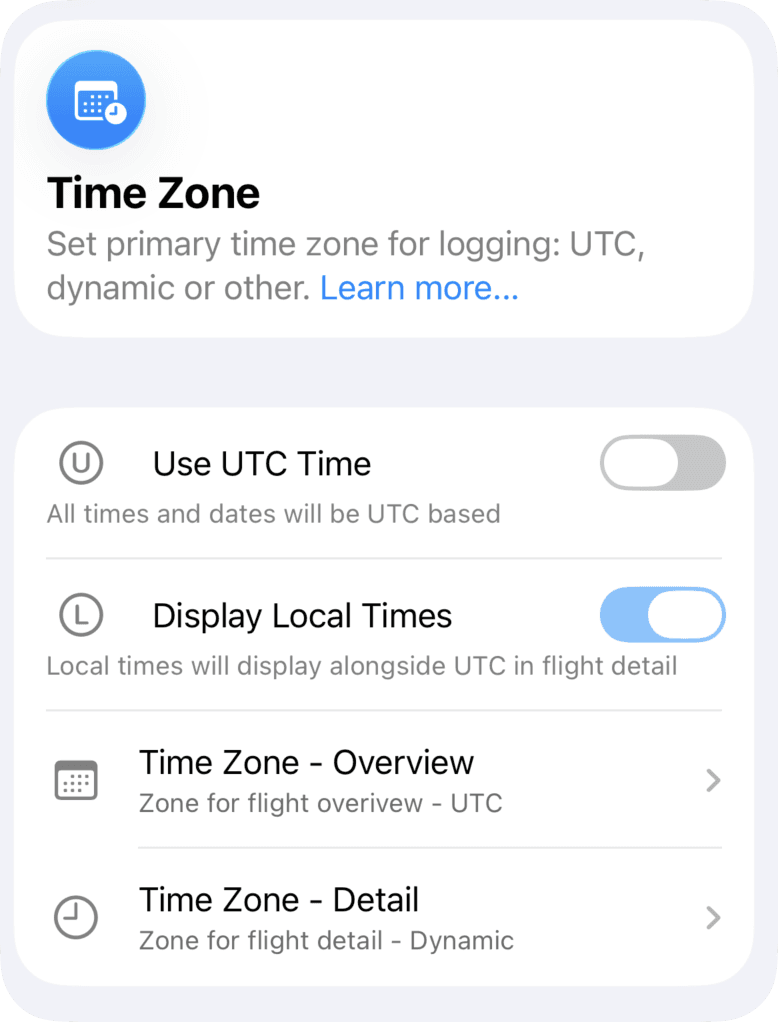
Use UTC Time
When enabled, all flight dates and times are displayed in UTC (Coordinated Universal Time). UTC becomes the single time reference across the app.
When disabled, you can configure separate time zones for:
Flight Overview
Flight Detail
For each, you may choose:
UTC
Dynamic
Specific time zone
Display Local Times
When turned on, local times are displayed alongside UTC in the Flight Detail view. UTC remains the primary reference, while local time is shown for additional situational awareness.
This is recommended if you require UTC for logging consistency but still need local time context for reporting or operational clarity.
Time Zone – Overview
This setting defines the time zone used in the Flight Overview screen, including flight dates and block times.
You can select UTC, Dynamic, or a specific time zone.
When set to Dynamic, Logger automatically determines the local time zone based on the departure and arrival airport location.
Time Zone – Detail
This setting defines the time zone used in the Flight Detail screen.
You can select UTC, Dynamic, or a specific time zone.
When set to Dynamic, local times are automatically derived from the departure and arrival airports.

