


ADS-B
Get your flights directly from ADS-B network
Logger offers multiple ways to streamline your flight logging, including importing flights directly from the ADS-B network.
ADS-B Search
To search flights on ADS-B network, go to flight detail
On iPhone, tap on the ellipses and select ADS-B
On iPad and Mac, tap on the ADS-B icon in the toolbar
To use the ADS-B feature, you’ll need to sign in with Apple
You can search flights by flight number or aircraft registration. The search timeframe includes flights all the way back to the year 2001 and even up to one day into the future.
Once you’ve entered your search criteria and selected a date, tap the Request button to send your query
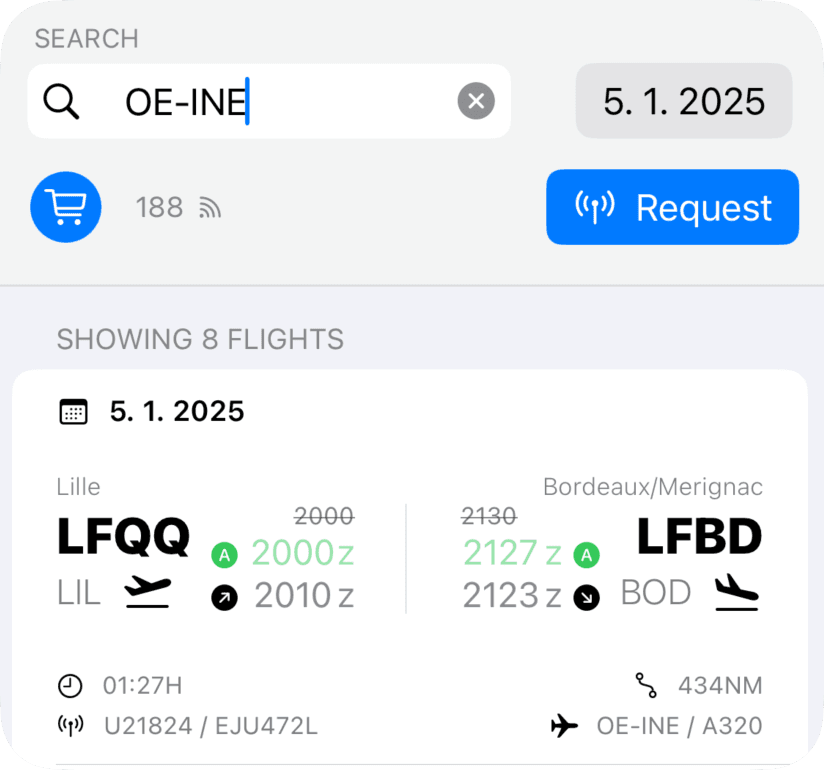
ADS-B Results
Date: Date of flight
Airports: From the top displays City, ICAO and IATA codes
Times: Displays scheduled block, actual block, take-off time
Block times are color-coded to quickly show whether the flight departed or arrived on time. Green means it was ahead of schedule, while red indicates a delay.
Logger typically uses actual times from the ADS-B network. However, if this data is missing, Logger substitutes estimated times instead. These estimated times are marked with an "E"
At the bottom of each result, you’ll find additional details such as the total block time, flight distance, flight number, callsign, aircraft registration, and aircraft type.
Once you’ve reviewed the details, you can easily copy them into your flight log with a single tap. Logger will even create new aircraft types and registrations in your database automatically if they’re not already there.
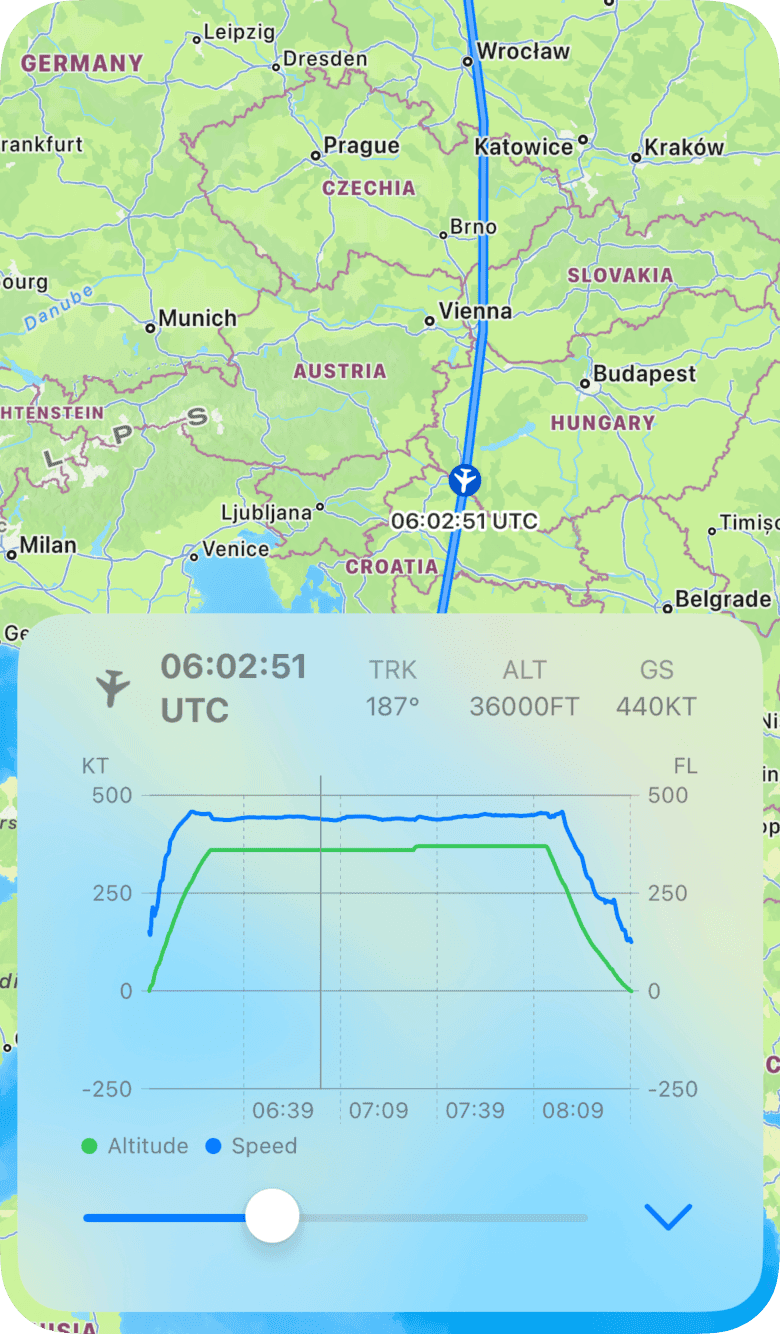
The flight radar replay is fetched automatically with the result. You can display this in flight detail menu under "Route" button
ADS-B Credit
Each query to the ADS-B network uses credits. The ADS-B provider has different rates for recent flights (up to 10 days) and historical flights. To reflect this:
Recent flights cost 1 credit
Historical flights cost 5 credits
When you sign up, you’ll receive 100 free credits to get started.
If you need more, additional credits can be purchased for a small fee.
You can check your remaining credits, account status, and access the credit store right at the top of the ADS-B interface.
ADS-B Route
You can display ADS-B route in the flight detail by tapping on the ellipses (…) and Route (on iPad and Mac, tap on the route icon)
Initially you will see the departure and destination airports with rhumb line. You can tap on the "Request Route" button at the bottom to fetch the ADS-B profile
If you have previously fetched the flight with the ADS-B, the flight radar replay downloads automatically without any further action required. If you have logged the flight manually, you will first need to find it on the ADS-B network.
You can search your flight radar replay all the way back to 2001. Once downloaded, the route is saved with your user profile
Update via ADS-B (Batch)
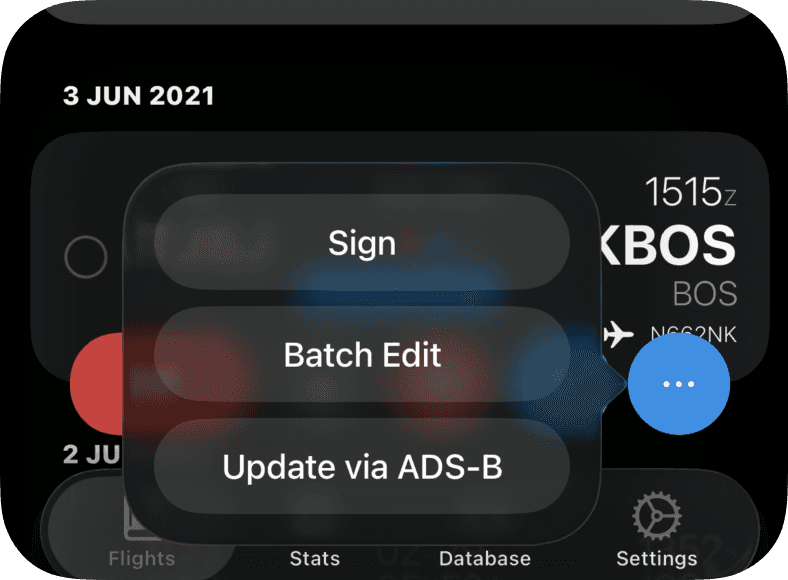
If you have multiple flights with missing information, you can update or override the data using the "Update via ADS-B".
Go to flight overview - Edit and select flights - tap on (…) and "Update via ADS-B"
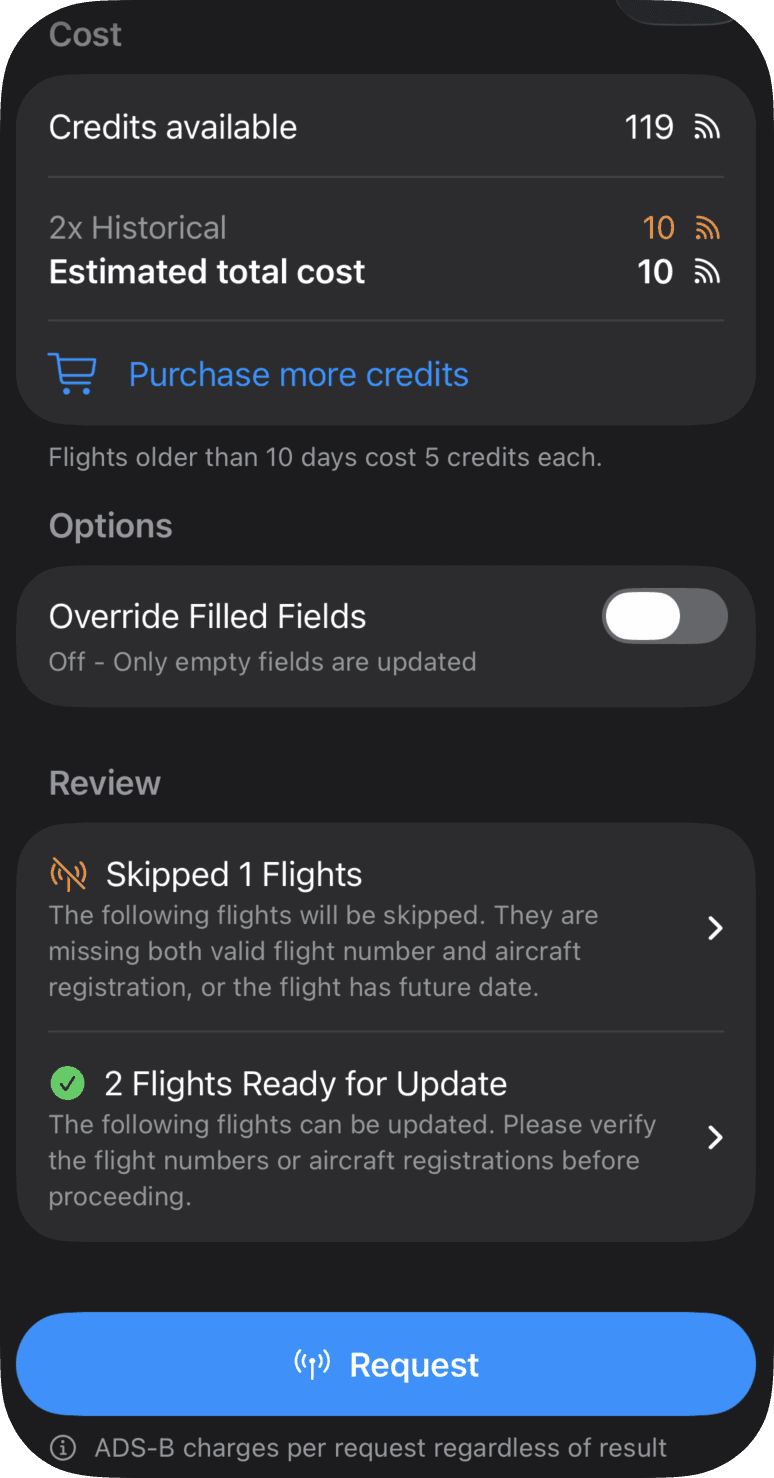
ADS-B overview will display. Here you can check estimated costs for the ADS-B requests.
Override Filled Fields:
OFF: Only non-empty fields will update. With one exception: If the total time is missing, the function times will update automatically based on your auto-fill settings
ON: All fields will be updated/overridden from the ADS-B database
Review
As minimum there needs to be either valid flight number or aircraft registration and the flight date needs in valid range (2001-NOW).
Logger shows flights which are ready for update and those which will be skipped.
You don't need to remove the skipped flights from the selection, Logger will not send request for those
It is important that you check the flight in ready for update section. Logger performs a gross-error check but it cannot guess the correctness of the flight number or aircraft registration.
Request
Once all the details were reviewed, you can sent the request
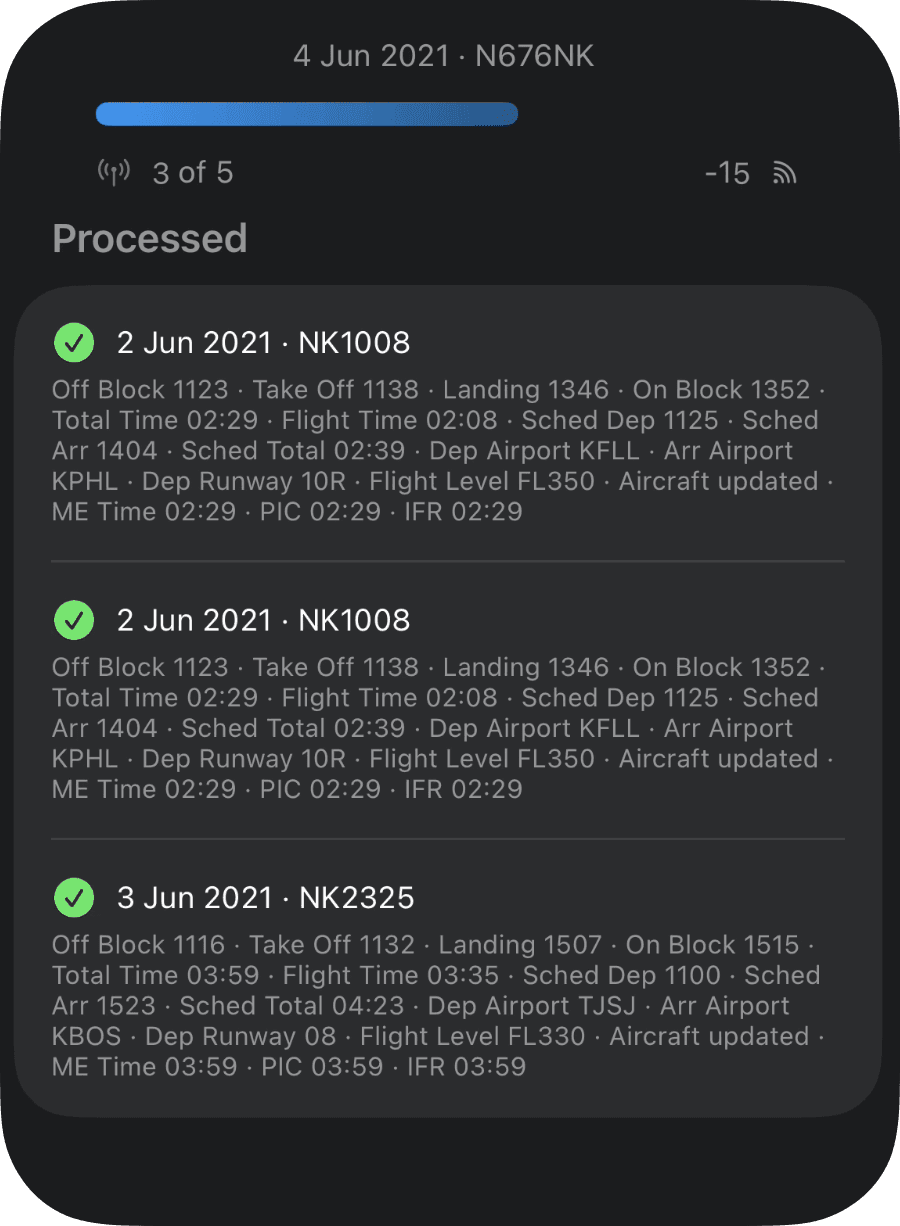
Logger will query ADS-B database and show progress and change-log for each flight
Please note that ADS-B database charges per request regardless of result
You can stop the update at any time
When there are multiple flights returned for one request (search by aircraft registration), you can choose which flight to import
Summary
Once the fetch completes you can review the changes and if required revert all the changes back

